Implementing An SQS Like Message Queue System
I built a rudimentary AWS SQS clone with managed queues, visibilitytimeouts, DLQs.
What Are Queues?
A queue is a data structure and system primitive that follows first-in, first-out ordering, where producers enqueue work and consumers process it in sequence. In systems and architectures, queues are used to decouple components, smooth traffic spikes, and enable asynchronous processing so that slow or unavailable services do not block the entire system.
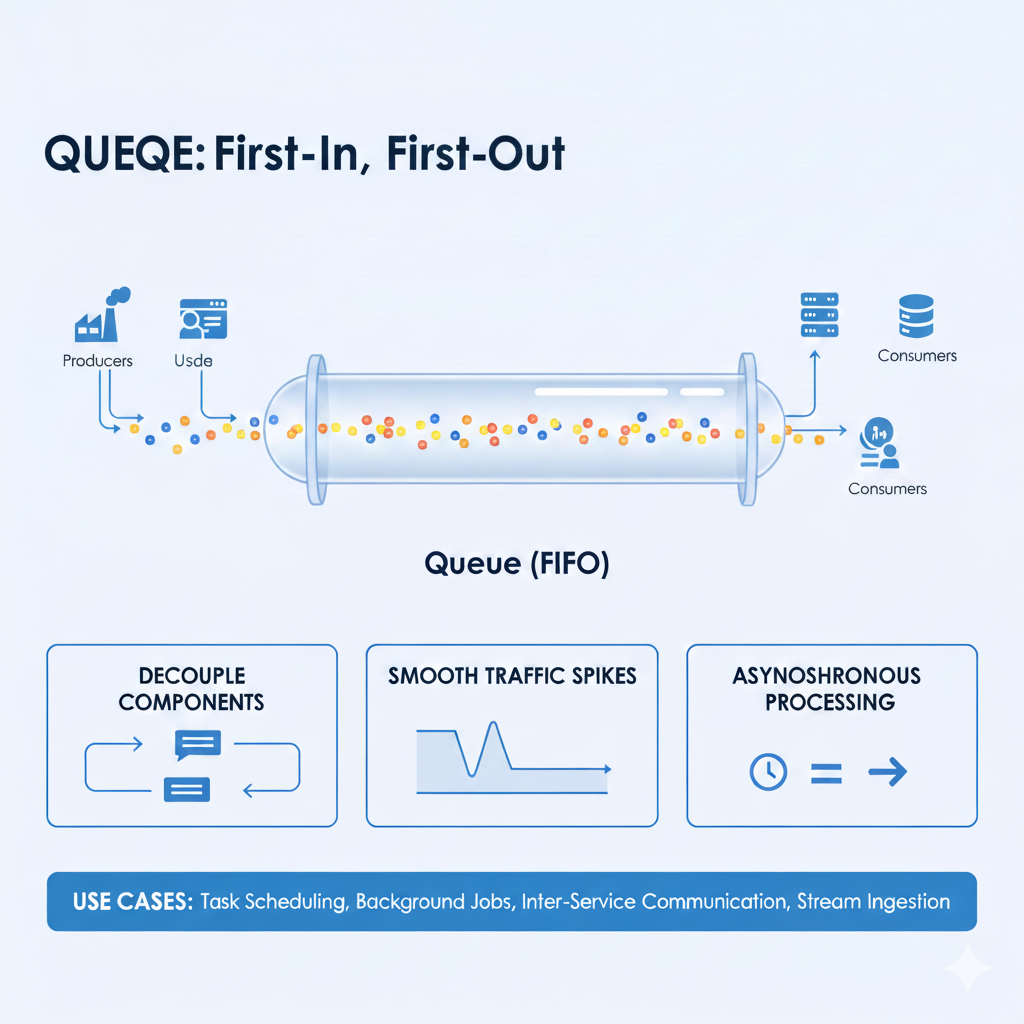
They are central to message-driven and event-based designs, supporting reliability through buffering, retries, and durability, and scalability through parallel consumers and backpressure control. Common use cases include task scheduling, background job processing, inter-service communication, and stream ingestion in distributed systems.
AWS SQS
Amazon Simple Queue Service is a fully managed message queuing service that enables reliable, scalable, and asynchronous communication between distributed system components. It allows producers to send messages to a queue while consumers process them independently, helping decouple services, handle traffic bursts, and improve fault tolerance.
SQS supports both Standard queues for high throughput and FIFO queues for strict ordering and exactly-once processing, making it a core building block in event-driven and microservices architectures on AWS.
Some SQS features:
- Long polling to reduce empty responses and lower cost
- Batch operations for sending, receiving, and deleting up to 10 messages at a time
- Message locking using visibility timeouts to prevent concurrent processing
- Dead-letter queues to isolate and debug messages that repeatedly fail processing
- Fair queueing to mitigate noisy-neighbor effects
- Queue sharing across AWS accounts
- Native integration with other AWS services to build reliable, loosely coupled systems
The Core Architecture: Node.js and SQLite
I chose Node.js for the API layer because of its non-blocking nature, which is perfect for handling many concurrent queue requests. For persistence, I went with SQLite. Why SQLite? Because it provides atomic transactions. When multiple consumers try to grab a message at the exact same moment, I need to ensure that only one of them actually "checks it out."
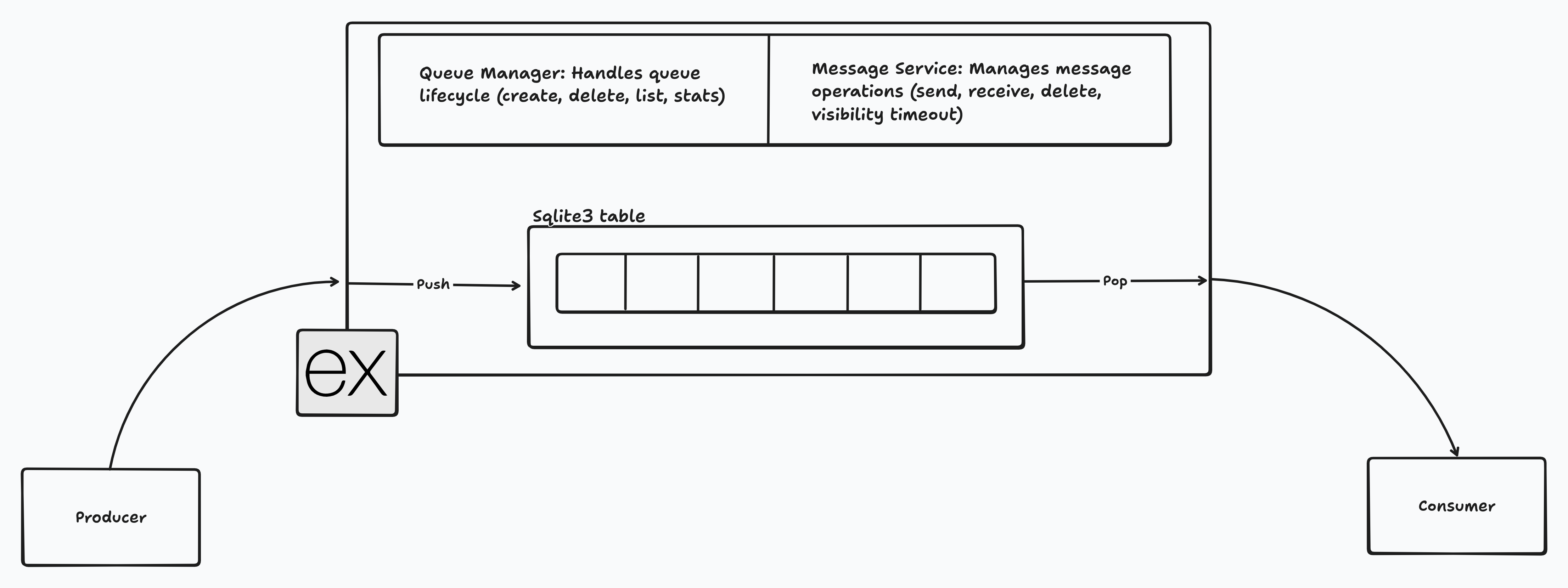
The Lifecycle of a Message
I choose 3 states to keep a particular message in:
- Waiting: The message is in the queue, ready to be picked up.
- In-Flight: A consumer has received the message. It's technically still in the database, but it's hidden from other consumers for a specific period (the Visibility Timeout).
- Deleted: The consumer successfully finished its work and told the API to remove the message.
The VisibilityTimeout Worker
Imagine a consumer picks up a message but then its server crashes. That message is now stuck "In-Flight" forever. To solve this, I built a background worker that constantly polls the database. If it finds a message that has been in-flight longer than its timeout, it automatically resets the status to waiting.
This worker also handles retries. If a message fails too many times, the worker doesn't just put it back; it moves it to a Dead Letter Queue. This prevents "poison messages" from looping forever and clogging up the system.
Seeing it in Action: The Analytics Pipeline
To show the system's workings, I built a real-time analytics demo. It’s a three-part process:
- The Producer (Python): A script that simulates product pricing and categories
- The Consumer (Python): A worker that pulls these events from the queue, calculates aggregates and saves them to a secondary database.
- The Dashboard (Streamlit): A live-updating frontend that visualizes the flow of data.
What’s cool here is the decoupling. I can stop the consumer for maintenance, and the producer just keeps happily filling the queue. When the consumer comes back online, it picks up exactly where it left off. No data lost, no pressure. Which is the exact advantage of a queue!
The Infrastructure: EC2 Deployments
I deployed it across two EC2 instances:
- EC2 #1 (SQS Server): This instance hosts the Node.js API and the SQLite database. It acts as the central hub.
- EC2 #2 (Analytics Suite): This instance runs both the Producer (FastAPI) and the Consumer script. It communicates over the network with EC2 #1.
This separation ensures that even if the Analytics instance goes down or needs to scale, the SQS server remains independent and continues to manage the queue state.
Conclusion
Implementation: Github
Building this taught me the effort and decision making that goes into cloud services like AWS SQS. It’s not just about moving bits from A to B; it’s about making sure those bits survive the journey, no matter what happens in between.