A post automation to automatically extract content from my blog and obsidian to turn them into complete posts for LinkedIn and X, along with a peer review agent.
- Manual content repurposing is time-consuming and repetitive
- Maintaining consistent quality across multiple platforms
- Lack of automated validation and peer review for social posts
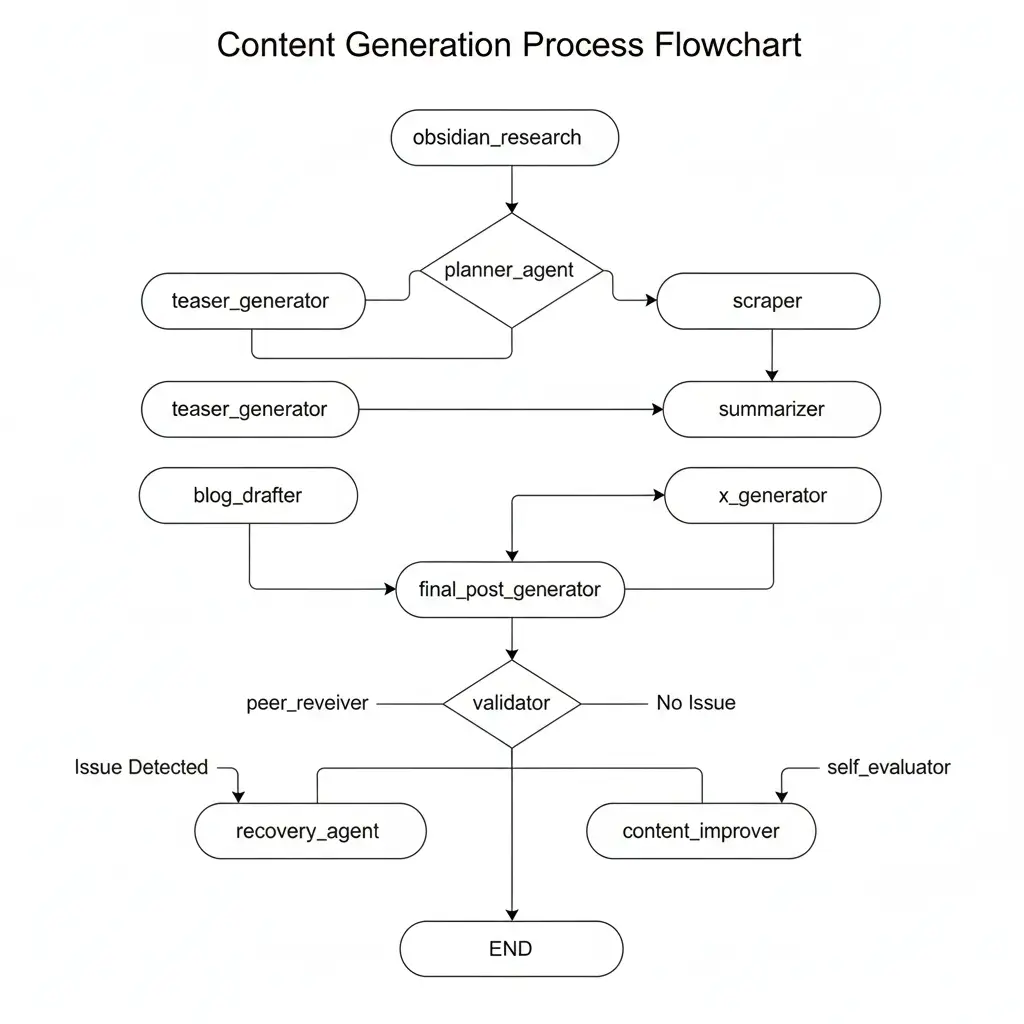
Built with LangGraph as a stateful multi-agent system orchestrating 13+ specialized agents. Implements self-evaluation and recovery logic with automated peer review loop, integrating Obsidian research notes directly into content generation workflow.
Overview
The workflow turns a rough idea into ready-to-publish posts for LinkedIn and X, using your existing research notes and a sequence of AI-driven agents. It is designed to remove the repetitive parts of content distribution so you can focus on writing high-value technical content.
Core Ideas
-
Capture ideas once, reuse them many times.
-
Ground posts in prior research (notes, highlights, references).
-
Automatically generate:
- Blog drafts
- Teaser posts
- Final LinkedIn and X posts
-
Run validation and review steps before anything is published.
Features
-
Idea capture and research integration (e.g. Obsidian notes).
-
Blog planning and outline generation.
-
Optional teaser post generation.
-
Long-form blog drafting.
-
Blog scraping and summarization after publishing.
-
Platform-specific post generation for:
- X / Twitter
-
Automated validation and peer review loop.
-
Self-evaluation and recovery logic to avoid broken runs.
Architecture
At the core is a LangGraph StateGraph that wires together the full pipeline:
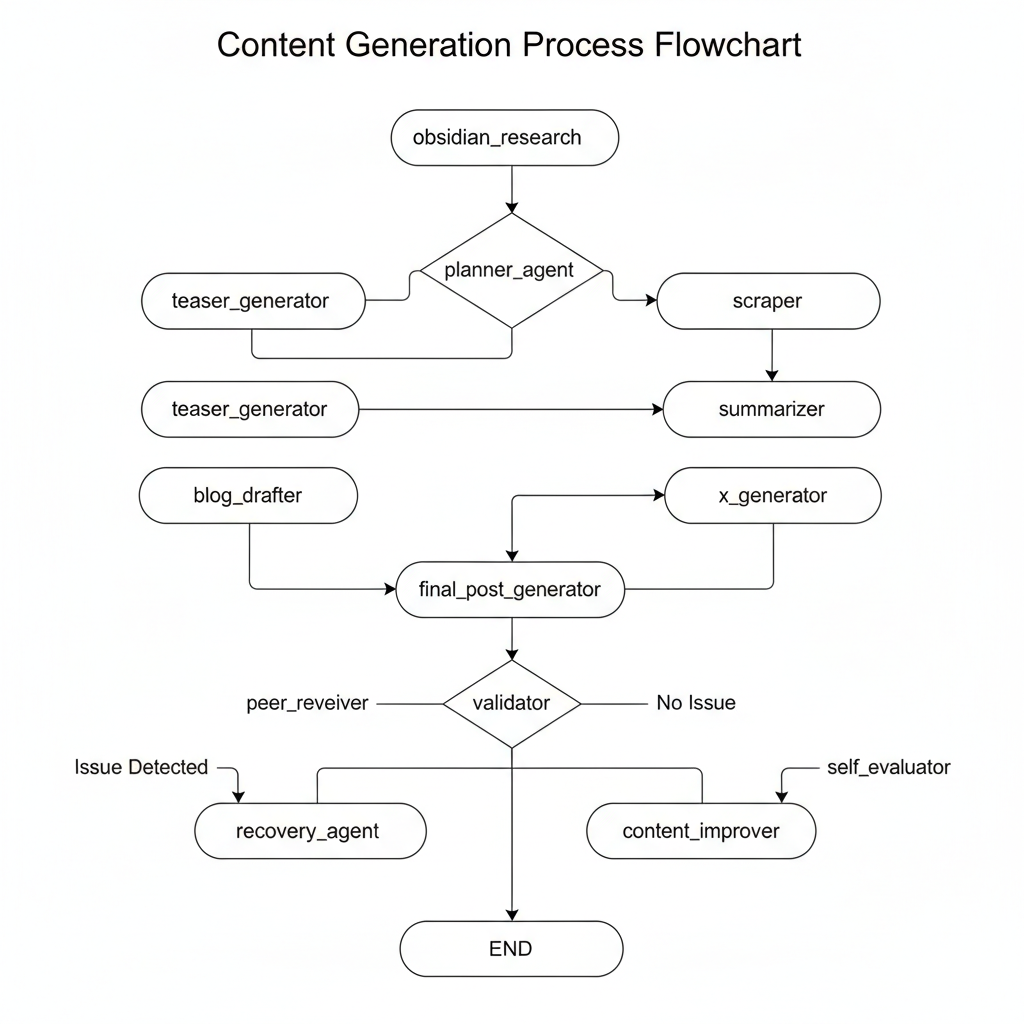
capture_ideaobsidian_researchplanner_agentteaser_generatorblog_drafterscrapersummarizerfinal_post_generatorx_generatorvalidatorpeer_reviewercontent_improverself_evaluatorrecovery_agent
Conditional edges control whether the workflow should:
- Generate a teaser
- Move into blog drafting
- Scrape the published blog
- Validate and improve posts
- Exit early or recover from errors
Getting Started
-
Clone the repository:
git clone https://github.com/capybara-brain346/post-automation.git cd post-automation -
Create and activate a virtual environment:
python -m venv .venv source .venv/bin/activate # On Windows: .venv\Scripts\activate -
Install dependencies:
pip install -r requirements.txt -
Configure environment variables (for example):
- LLM / API provider credentials
- Paths to your notes or Obsidian vault
- Any keys or settings required for LinkedIn / X integrations
-
Run the workflow entry script (example):
python main.pyAdjust the entry point according to the actual script layout in this repository.
Workflow Overview
High-level flow:
-
Capture a raw idea.
-
Enrich it with research notes.
-
Plan the blog and optionally generate a teaser post.
-
Draft the blog (or skip if already published).
-
Scrape the final blog and summarize it.
-
Use the summary to create:
- LinkedIn posts
- X posts
-
Validate style, tone, citations, and structure.
-
Loop through peer review and content improvement when needed.
-
Self-evaluate, recover from errors if possible, and then finish with ready-to-publish posts.
Notes
-
The automation is meant to keep a human in the loop where needed, especially for:
- Sensitive topics
- Ambiguous claims
- Posts that may require manual context or judgment
-
You can adapt individual agents or swap models to fit your stack and preferences.